 By Saurav Mehra
 Indian summer is not gentle on smartphones. You step out in May or June, the road is burning, the auto seat feels hot, the car dashboard becomes like a tawa, and your phone starts heating even before you open Instagram or Google Maps. Add 5G data, camera use, food delivery tracking, UPI payments, gaming, video calls and fast charging—and suddenly the phone feels uncomfortable in your hand. The battery drops faster, charging slows down, apps lag, and sometimes the phone shows a temperature warning.
For many Indian users, this is a daily summer problem. Whether you live in Delhi, Jaipur, Lucknow, Ahmedabad, Hyderabad, Nagpur, Chennai or any other hot city, high temperature can quietly damage your smartphone battery over time. It may not happen in one day, but repeated heat exposure reduces battery health, weakens backup, increases charging problems and may even make the phone unsafe in extreme cases.
A smartphone battery is not just affected by how much you use the phone. It is also affected by where you use it, how hot it gets, how you charge it and whether you protect it from heat. The good news is that simple habits can reduce summer battery damage and help your phone last longer.
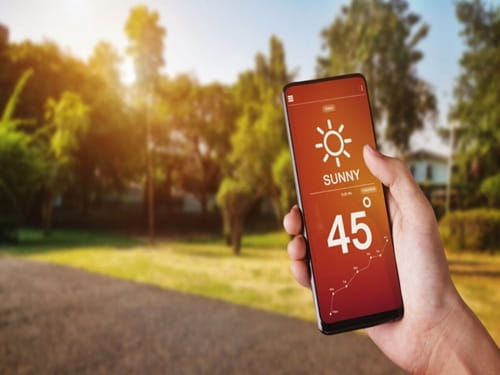
Why Heat Is Bad for Smartphone Batteries
Most smartphones use lithium-ion batteries. These batteries work well in normal temperatures, but they do not like extreme heat. When the phone becomes too hot, chemical reactions inside the battery speed up. This increases stress on the battery and slowly reduces its ability to hold charge.
That is why a phone that once lasted a full day may start needing charging by evening after one or two years of rough use. Heat is one of the biggest reasons behind this ageing.
In summer, the phone is already warm due to outside temperature. When you add charging, gaming, 5G, camera or navigation, internal heat rises further. This double heat pressure damages battery health faster.
Indian Summers Make Phones Heat Faster
In many parts of India, outdoor temperatures can cross 40°C. But the temperature your phone experiences can be even higher. A phone kept inside a parked car, on a bike seat, near a window, on a terrace, in a tight jeans pocket or under direct sunlight can become much hotter than the air around it.
Black or dark phone covers absorb more heat. Thick rubber cases trap heat. Using the phone outdoors at full brightness also increases battery load. This is why phones heat quickly during summer travel, weddings, outdoor shoots, markets and office commutes.
The phone may look normal from outside, but the battery inside may be under serious thermal stress.
Fast Charging in Summer Can Increase Heat
Fast charging is useful, but it naturally produces more heat than slow charging. In winter or normal room temperature, this may not feel like a big issue. But during Indian summer, fast charging in a hot room can make the phone heat up quickly.
If you charge the phone on a bed, under a pillow, near a window or inside a car, heat cannot escape properly. The phone becomes warmer, charging may slow down automatically, and battery stress increases.
Use fast charging when needed, but do not combine it with heat traps. Charge on a hard, flat surface in a cool and ventilated area.
Direct Sunlight Is a Battery Killer
Many people keep their phone on a car dashboard while using maps, on a scooter seat while wearing a helmet, on a shop counter, near a sunny window or beside them at an outdoor café. This direct sunlight can heat the phone very fast.
A hot phone may reduce screen brightness, slow down performance, stop charging, close apps or show a temperature warning. These are protection steps taken by the phone to prevent damage.
If the phone becomes too hot to hold comfortably, stop using it. Move it to shade and let it cool naturally.
Gaming in Summer Drains Battery Faster
Mobile gaming uses the processor, graphics chip, display, speakers, internet and battery heavily. Games like BGMI, Free Fire, Call of Duty Mobile and high-graphics racing games can heat the phone quickly. In summer, the phone starts from a warmer temperature, so it reaches high heat faster.
Gaming while charging is even worse because charging heat and gaming heat combine. This can reduce battery health faster and may cause lag because the phone lowers performance to control temperature.
If you play games, avoid direct sunlight, remove thick covers, take breaks and do not play heavy games while charging.
5G and Hot Weather: A Common Battery Problem
5G is fast, but it can use more power in certain situations, especially when signal is weak or the phone keeps switching between 5G and 4G. In hot weather, this extra power use creates extra heat.
If you are outside in summer using 5G for maps, video calls, reels, hotspot or downloads, the battery can drain very quickly. The phone may also heat more than usual.
If 5G signal is weak or your phone is heating, switch to 4G for normal tasks. WhatsApp, UPI, calls, browsing and music work fine on 4G in most areas.
Hot Phone Means Slow Charging
Many users complain that their phone charges slowly in summer. This often happens because the phone is protecting itself. When battery temperature is high, the charging system may reduce speed or pause charging to avoid damage.
So, if your phone charges slowly after gaming, navigation or outdoor use, do not immediately blame the charger. Let the phone cool first. Then charge it.
Charging a hot phone again and again is one of the easiest ways to reduce long-term battery life.
Phone Cases Can Trap Heat
Phone covers protect against drops, but some covers trap heat. Thick rubber cases, leather-style covers, wallet covers and low-quality hard cases can block heat from escaping.
During summer charging, gaming or video calls, remove the case if the phone becomes too hot. This helps heat escape faster.
You do not need to use the phone without a cover all day. Just remove it during high-heat activities when needed.
Avoid Charging on Beds and Sofas
Many people charge phones on beds, pillows, blankets or sofas. These soft surfaces trap heat around the phone and charger. In summer, this becomes riskier.
Always charge your phone on a hard surface like a table, shelf or floor area away from direct sunlight. Keep some space around the phone. Do not cover it with clothes, books or pillows.
This simple habit improves safety and reduces battery stress.
Do Not Leave Your Phone in a Parked Car
A parked car becomes extremely hot in Indian summer. Even if outside temperature is around 38–40°C, the inside of a closed car can become much hotter. A phone left on the dashboard, seat or charging cable can overheat badly.
This can damage the battery, screen, adhesive, internal parts and sometimes even cause swelling in extreme cases.
Never leave your phone in a parked car during summer, especially under direct sunlight.
Battery Health Drops Faster With Heat
Battery health means how much charge your battery can hold compared to when it was new. Over time, all batteries age. But heat speeds up this ageing.
If your phone regularly heats while charging, gaming, using maps or sitting in sunlight, battery health may fall faster. You may notice shorter backup, sudden percentage drops, slow charging, random shutdowns or the phone heating more easily than before.
Once battery health is reduced, it cannot be fully restored by apps or tricks. You can only slow further damage.
Summer Travel Makes Battery Drain Worse
During travel, the phone works harder. It switches mobile towers, searches for signal, uses maps, takes photos, records videos, handles UPI payments and stays in pockets or bags where airflow is poor.
In trains, buses and cars, signal may be unstable, causing extra battery drain. In outdoor tourist places, high brightness and camera use increase heat.
Carry a power bank, but use it wisely. Do not charge the phone while it is already hot from sunlight or camera use. Let it cool in shade first.
How to Cool a Hot Phone Safely
If your phone becomes very hot, stop heavy use. Close games, camera, navigation and video apps. Remove the case. Move it to shade or a cooler room. Disconnect it from charging if plugged in. Keep it on a hard surface and let it cool naturally.
Do not put the phone in a refrigerator or freezer. Sudden temperature change can create moisture inside the phone and damage parts. Do not use water, ice packs or wet cloths on the phone.
Cooling should be gradual and safe.
Reduce Brightness in Outdoor Heat
High screen brightness uses a lot of battery and creates heat. In Indian sunlight, phones often push brightness to maximum automatically so you can see the display.
Use brightness only as high as needed. When indoors, reduce it manually. Turn on dark mode if your phone has an AMOLED display. Also reduce screen timeout so the display does not stay on unnecessarily.
A cooler display means less battery drain.
Use Battery Saver During Hot Days
Battery Saver is useful during summer because it reduces background activity, performance load and some visual effects. This can reduce heat and extend battery life.
Use it when travelling, attending outdoor events, commuting, using maps, or when the phone is already warm. Do not wait until battery reaches 5%. Turn it on earlier if you know charging will not be available soon.
Control Background Apps
Many apps run in the background and use battery silently. Social media, shopping apps, food delivery apps, games, maps and cloud backup can keep working even when you are not using them.
Check battery usage in settings. Restrict apps that drain too much battery. Turn off auto-sync for apps you do not need constantly. Disable unnecessary notifications.
Less background work means less heat.
Update Software and Apps
Software bugs can cause battery drain and heating. Keep your phone and apps updated. Updates often improve battery management, network performance and heating control.
But avoid updating your phone while it is hot or low on battery. Update in a cool room with enough battery or while connected to a safe charger.
After a major update, the phone may heat slightly for a day or two while optimizing apps. If heating continues, check battery usage or contact support.
Use Original or Certified Chargers
Cheap chargers can cause unstable charging, extra heat and safety problems. In summer, this becomes more dangerous because the phone and charger are already working in warm conditions.
Use original or certified chargers and good-quality cables. Avoid damaged cables, loose sockets and overloaded extension boards.
If the charger becomes too hot, smells burnt or makes noise, stop using it.
Avoid Full-Time 100% Charging in Heat
Keeping the phone at 100% for long hours in hot conditions can stress the battery. Many people leave phones charging overnight in warm rooms or plugged into power banks for too long.
Modern phones have protection features, but heat still matters. If your phone has optimized charging, adaptive charging or battery protection mode, turn it on.
For daily use, try not to keep the phone plugged in for many hours after full charge, especially in summer heat.
Signs Heat Has Already Affected Your Battery
Your battery may be ageing faster if it drains unusually quickly, heats even during normal use, charges slowly, shuts down suddenly, shows wrong percentage, or the back panel looks swollen.
Battery swelling is serious. If the screen or back panel starts lifting, stop using the phone and visit an authorized service centre. Do not press, puncture or continue charging a swollen battery.
Practical Summer Battery Care Routine
Keep your phone out of direct sunlight. Do not leave it in parked cars. Charge on a hard surface. Avoid gaming while charging. Remove thick covers during charging or heavy use. Switch to 4G when 5G heats the phone. Use Battery Saver during travel. Reduce brightness. Let a hot phone cool before charging. Use good chargers and cables.
These habits may look small, but they can protect battery health over months and years.
FAQs
Q1. Can Indian summer heat permanently damage phone battery?
Yes, repeated exposure to high heat can permanently reduce smartphone battery health. The phone may start draining faster, charging slower and heating more easily over time.
Q2. Is it safe to charge my phone when it is hot?
It is better to let the phone cool before charging. Charging a hot phone increases battery stress and may slow charging automatically. Remove the case and place the phone in a cool, ventilated area first.
Q3. Does using 5G in summer drain battery faster?
Yes, 5G can drain more battery and create extra heat, especially in weak-signal areas or during heavy data use. Switch to 4G when 5G is unstable or when the phone is heating too much.
Q4. How can I cool my phone quickly without damage?
Stop using heavy apps, unplug the charger, remove the case and keep the phone in shade or a cool room. Do not put it in the fridge, freezer, water or near ice because sudden cooling can cause moisture damage.