 By Saurav Mehra
 Your neighbourhood kirana store has loyal regulars, decent daily footfall, and genuinely good products, but the moment you think about “going online,” Amazon and Flipkart feel like a different universe entirely, one where commissions eat 25% or more of your margin and the onboarding process feels built for large brands, not a single shop owner managing everything themselves. This exact frustration is precisely why ONDC exists.
Open Network for Digital Commerce isn’t another marketplace competing with Amazon, it’s a government-backed protocol designed specifically to let small retailers like you get discovered online without surrendering a third of your revenue to commission fees. With over 370,000 vendors already onboarded and commission rates sitting at just 3% to 10% compared to the 18% to 40% charged by traditional platforms, this genuinely changes what’s financially viable for a small, local retail business trying to build an online presence.
Understanding What ONDC Actually Is Before You Register
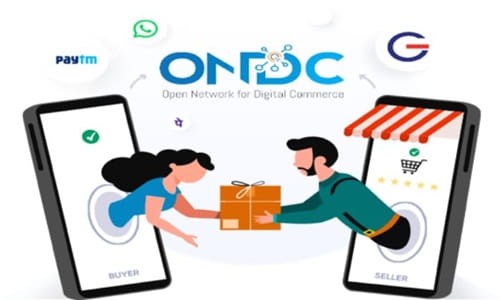
This distinction matters more than people initially realise. ONDC isn’t a marketplace you sign up for directly, the way you’d create an Amazon seller account. It’s an open protocol, a shared digital language that connects buyer apps, seller apps, and logistics providers together, regardless of which specific app a customer or seller happens to use. Think of it more like how any bank’s UPI app can send money to any other bank’s UPI app, ONDC does something similar for online shopping.
What this means practically is that you don’t register with “ONDC” itself, you register through a seller app that’s built on the ONDC protocol, apps like Mystore, GoFrugal, Zoho Vikra, SellerApp, or even established platforms like Meesho and Snapdeal that now offer ONDC integration alongside their existing marketplace.
Checking Your Digital Readiness Before You Start
Before most seller apps begin your onboarding, it genuinely helps to complete something called DigiReady certification, a free online self-assessment developed jointly by ONDC and the Quality Council of India. This isn’t a mandatory gatekeeper, but it fast-tracks your onboarding considerably since it signals to seller apps that you’re prepared for digital commerce.
The assessment takes roughly 30 minutes and evaluates four things: whether you have your business documents ready, your comfort level using smartphones and digital tools, whether you already manage orders digitally in any form, and whether your product catalogue, images, descriptions, pricing, exists in a usable digital format. Passing gets you an e-certificate that many seller apps specifically look for before prioritising your onboarding.
Getting Your Documents Ready
The actual registration requirements are refreshingly light for a small retail business. You’ll need your GSTIN, since GST registration is mandatory for selling on ONDC, your PAN, bank account details for payment settlement, and basic business information like your name, address, and store details.
If you’re running a food business specifically, you’ll additionally need an FSSAI license before you can list. For a straightforward kirana store or small retailer just testing the waters, a sole proprietorship with GST registration is genuinely sufficient, there’s no need to incorporate a private limited company unless you’re planning to build a larger brand, hire employees, or eventually raise investment. Beyond these basics, you’ll also need KYC documents like ID proof, address proof, and a cancelled cheque, along with details about your product categories, delivery timelines, and your return and cancellation policy.
Choosing the Right Seller App for Your Business
This decision genuinely shapes your day-to-day experience, so it’s worth a bit of comparison shopping before committing. Each seller app has different strengths depending on what your business actually needs. Mystore tends to work well for general retail, GoFrugal is particularly strong for businesses that need solid inventory management, and Zoho Vikra makes sense if you’re already using other Zoho products for your business operations.
Some platforms specifically focus on hands-on support for MSMEs and small retailers still finding their feet with digital commerce, offering more guided assistance through the onboarding process compared to apps built for sellers who already have digital operations running smoothly. It’s worth reaching out to two or three options, comparing their commission structures, catalogue tools, and the level of support they offer, before locking into one.
Walking Through the Actual Registration Process
Once you’ve picked a seller app, the registration itself moves fairly quickly. You’ll typically start with a simple sign-up requiring just your phone number and email, followed by submitting your GSTIN, PAN, and bank account details for verification.
After your documents get verified, which is genuinely important since ONDC checks this to ensure business authenticity, you’ll set up your digital storefront, choosing your shop name, adding your business logo, and configuring your account details. From there, you’ll build your product catalogue, either uploading products manually with images, descriptions, and pricing, or importing your existing data if you’re already selling on another platform like Meesho, Amazon, or through Excel-based inventory records.
For delivery, you get a genuine choice most sellers appreciate: work with ONDC’s network of delivery partners for pickup and logistics, or use your own delivery staff if you already have that infrastructure in place for local deliveries. Once an order gets successfully delivered, payment settles into your registered bank account within the timeframe specified in your seller app’s agreement.
Understanding Your Two Registration Paths
There’s a genuinely important fork in the road worth knowing about before you commit. If you don’t have your own website or technical team but still want to sell with low commissions, you’ll register through what’s called the Marketplace Seller Node, essentially using an existing ONDC-compliant seller app that handles the technical heavy lifting for you. This is genuinely the right path for the vast majority of local retail businesses.
The alternative, called the Inventory Seller Node, lets you register directly with ONDC and manage everything yourself without any intermediary app. This route requires substantial technical integration work, often taking 6 to 8 months and needing a dedicated technical team, which makes sense for larger businesses building custom digital infrastructure, but genuinely isn’t practical for a single local retailer just trying to get discoverable online.
Taking Advantage of Support Programmes for Small Retailers
Since ONDC was built with India’s over 12 million kirana stores specifically in mind, there’s genuine institutional support available if you’re a small business finding the process unfamiliar. The ONDC Academy offers free training resources, and a field initiative called “Feet on Street” sends representatives directly to shops to help with onboarding, building your product catalogue, and understanding order management.
Several state governments have also signed agreements with ONDC specifically to extend support to MSMEs and small traders, sometimes including programmes that provide financial assistance for account management, logistics, packaging, and catalogue preparation, along with hands-on onboarding assistance. It’s worth checking whether your state has a similar arrangement, since this kind of support can meaningfully smooth out the parts of digital commerce that feel unfamiliar at first.
What Genuinely Changes Once You’re Live
Once your registration and catalogue are approved, your products become discoverable across every buyer app connected to the ONDC network, not just one single app the way a traditional marketplace listing works. A customer searching for a product on any ONDC-compliant buyer app can potentially find your store, regardless of which specific app they’re using to shop.
There’s no exclusivity requirement either, you can continue selling on Amazon, Flipkart, or your own website simultaneously while also being active on ONDC. And since ONDC’s structure lets you own your customer relationship and data directly, rather than having that relationship mediated entirely by a large marketplace, you retain more direct insight into who’s actually buying from you and how they’re finding your store.
Frequently Asked Questions
Q1. Do I need to close my existing Amazon or Flipkart seller account to join ONDC?
No, there’s no exclusivity clause with ONDC. You can sell simultaneously across ONDC, Amazon, Flipkart, and your own website without any conflict, many small retailers use ONDC specifically to diversify their online presence rather than replace their existing channels.
Q2. Is there any registration fee to join ONDC as a seller?
No, ONDC itself doesn’t charge a registration fee. You will pay commission on sales through whichever seller app you choose, typically ranging from 3% to 10%, but there’s no upfront cost simply to get onboarded onto the network.
Q3. My kirana store doesn’t have digital product photos or an existing online catalogue. Can I still register?
Yes, this is exactly what the DigiReady assessment and programmes like “Feet on Street” are designed to help with. Many seller apps and support initiatives specifically assist small retailers in building their digital catalogue from scratch, including product photography and descriptions, as part of the onboarding process.
Q4. How is ONDC actually different from just listing my store on Amazon or Flipkart?
The core difference is that ONDC is an open protocol connecting multiple buyer and seller apps together, rather than a single closed marketplace. This typically means significantly lower commission rates, no exclusivity requirements, and your products becoming discoverable across several different shopping apps rather than being confined to just one platform’s customer base.